
gPad remote touchpad/keyboard3.0.1 - Google Play
You'll be able to see results in few seconds.
Publisher Description
"Amazing App Allows You to Transform Your Device in A Universal Remote
" - AppEggs.com
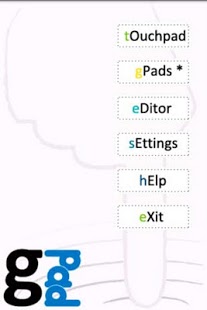
gPad is a wireless touchpad, configurable remote and keyboard for PC/Mac. Control you computers via wifi, usb or bluetooth (bluetooth in free version is beta and temporar). Similar to Gmote, remote droid, XBMC, unified remote,... but now, you can configure and share your own remote's!
Create layouts for all your applications, organise your shortcuts, expand your keyboard, automate key sequences,… Any of your ideas!
Create/share/download gPads for:
* Presentation (powerpoint, google docs, ...)
* Media players (Winamp, iTunes, media player, any music program, ...)
* Graphical (Adobe Photoshop, Illustrator, 3D, video, vlc, ...)
* Media center, Windows, Mac, XBMC, Spotify, Frontpad, eyeTV, mediaportal,...
* Keypad and keyboard extensions
* Game cheat codes or key sequences
* Any of your ideas! Extend your keyboard now!
To use gPad, download the server on your pc (www.gpad.mobi) and get started!
To have unlimited acces to all functionalities and remove the admob banner, you can buy our PRO version via the android market or Paypal. Enjoy!
For more information about the developers, visit us on www.MOBiSTERS.mobi or follow us on facebook: http://www.facebook.com/pages/MOBiSTERS/145275582205673. Post your findings and ideas on Facebook and they may become real!
About gPad remote touchpad/keyboard
The company that develops gPad remote touchpad/keyboard is MOBiSTERS.. The latest version released by its developer is 3.0.1.
To install gPad remote touchpad/keyboard on your Android device, just click the green Continue To App button above to start the installation process. The app is listed on our website since 2012-03-23 and was downloaded 0 times. We have already checked if the download link is safe, however for your own protection we recommend that you scan the downloaded app with your antivirus. Your antivirus may detect the gPad remote touchpad/keyboard as malware as malware if the download link to com.mobisters.android.remote.client is broken.
How to install gPad remote touchpad/keyboard on your Android device:
- Click on the Continue To App button on our website. This will redirect you to Google Play.
- Once the gPad remote touchpad/keyboard is shown in the Google Play listing of your Android device, you can start its download and installation. Tap on the Install button located below the search bar and to the right of the app icon.
- A pop-up window with the permissions required by gPad remote touchpad/keyboard will be shown. Click on Accept to continue the process.
- gPad remote touchpad/keyboard will be downloaded onto your device, displaying a progress. Once the download completes, the installation will start and you'll get a notification after the installation is finished.
Program Details
System requirements
Download information
Pricing
Version History
version 3.0.1
posted on 2012-03-23
★ fixed editor and widget,★ no logo at bottom of the screen,★ new gPad editor/viewer,★ full screen touchpad
version 1.0.5
posted on 2010-08-27
Several fixes and updates
Disclaimer
Official Google Play Link
We do not host gPad remote touchpad/keyboard on our servers. We did not scan it for viruses, adware, spyware or other type of malware. This app is hosted by Google and passed their terms and conditions to be listed there. We recommend caution when installing it.
The Google Play link for gPad remote touchpad/keyboard is provided to you by apps112.com without any warranties, representations or guarantees of any kind, so access it at your own risk.
If you have questions regarding this particular app contact the publisher directly. For questions about the functionalities of apps112.com contact us.
